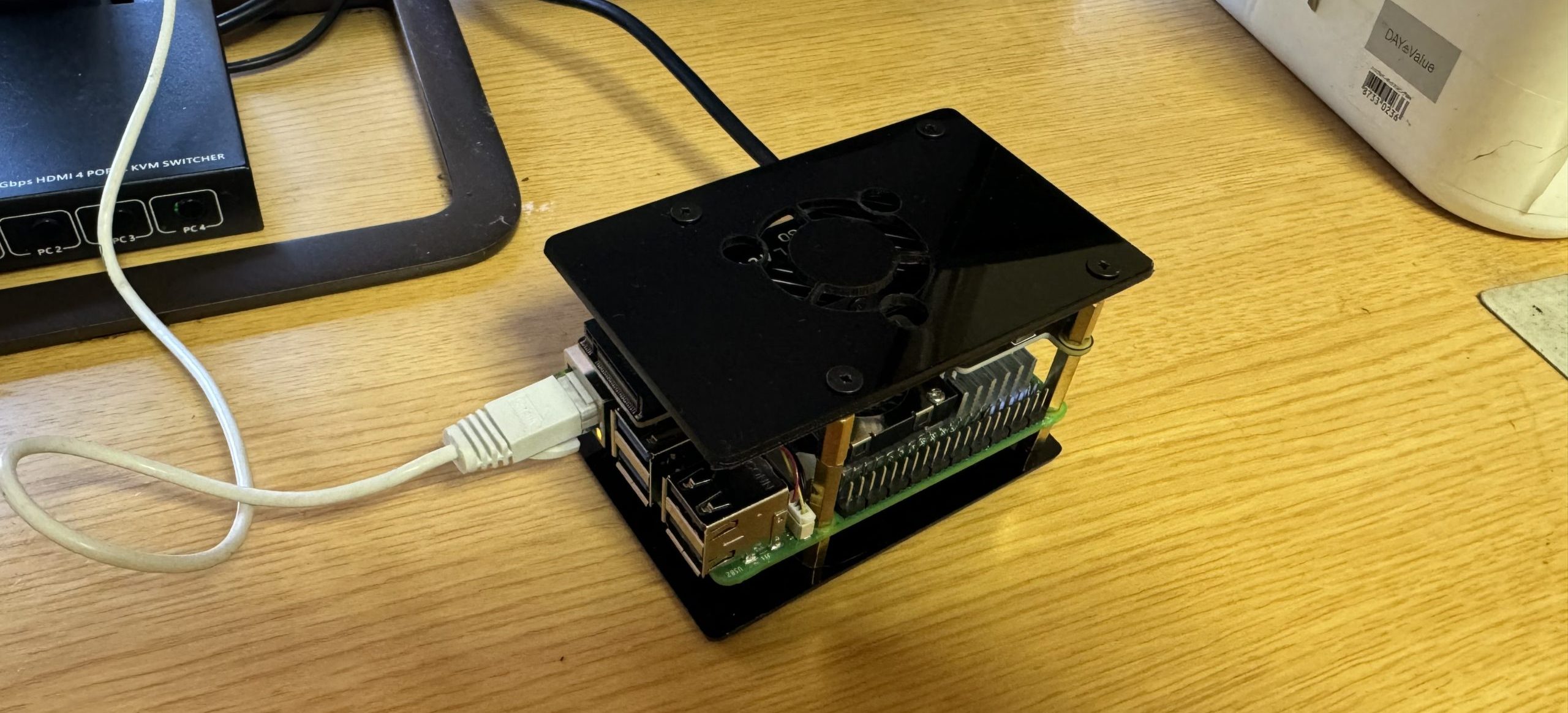
本記事では、Raspberry Pi(Ubuntu Server)でメールサーバーを構築する手順を解説します。
・送信:Postfix
・受信:Dovecot
・認証:SPF / DKIM / DMARC
■ 注意(最重要)
メールサーバーは設定を誤ると以下の問題が発生します:
・メールが届かない
・迷惑メール扱いされる
・ブラックリスト入り
👉 必ず手順通りに設定してください
example.comはご自分でとったドメインに読み替えて下さい
■ 構成
・OS:Ubuntu Server 24.04 LTS
・サーバー:Raspberry Pi 5
・用途:自宅メールサーバー
■ Postfix(送信サーバー)
■ インストール
sudo apt update
sudo apt install postfix -y
■ 設定ファイル編集(vi)
sudo vi /etc/postfix/main.cf
■ 基本設定
myhostname = mail.example.com
mydomain = example.com
myorigin = $mydomain

inet_interfaces = all
inet_protocols = ipv4

mydestination = $myhostname, localhost.$mydomain, localhost

home_mailbox = Maildir/
■ SMTP認証
smtpd_sasl_type = dovecot
smtpd_sasl_path = private/auth
smtpd_sasl_auth_enable = yes
■ Dovecot(受信サーバー)
■ インストール
sudo apt install dovecot-core dovecot-imapd -y
■ Maildir設定
sudo vi /etc/dovecot/conf.d/10-mail.conf
mail_location = maildir:~/Maildir
■ 認証設定
sudo vi /etc/dovecot/conf.d/10-auth.conf
disable_plaintext_auth = yes
auth_mechanisms = plain login
■ Postfix連携
sudo vi /etc/dovecot/conf.d/10-master.conf
unix_listener /var/spool/postfix/private/auth {
  mode = 0660
  user = postfix
  group = postfix
}
■ SSL設定(必須)
■ 証明書取得
sudo apt install certbot -y
sudo certbot certonly --standalone -d mail.example.com
■ Postfix SSL設定
sudo vi /etc/postfix/main.cf
smtpd_tls_cert_file=/etc/letsencrypt/live/example.com/fullchain.pem
smtpd_tls_key_file=/etc/letsencrypt/live/example.com/privkey.pem
■ Dovecot SSL設定
sudo vi /etc/dovecot/conf.d/10-ssl.conf
ssl = required
ssl_cert = </etc/letsencrypt/live/example.com/fullchain.pem
ssl_key = </etc/letsencrypt/live/example.com/privkey.pem
■ DNS設定(最重要)
■ MX
example.com MX 10 mail.example.com
■ SPF
v=spf1 mx ~all
■ DKIM(OpenDKIM)
sudo apt install opendkim opendkim-tools -y
■ DMARC
_dmarc.example.com TXT "v=DMARC1; p=quarantine; rua=mailto:admin@example.com"
■ サービス再起動
sudo systemctl restart postfix
sudo systemctl restart dovecot
■ 動作確認
telnet mail.example.com 25
■ テスト送信
echo "test" | mail -s "test" user@example.com
■ よくあるトラブル
● Gmailに届かない
→ SPF / DKIM / DMARC未設定
● 迷惑メールになる
→ 逆引きDNS未設定
● 認証できない
→ Dovecot設定ミス
■ 本環境の運用
・Raspberry Pi 5
・Postfix + Dovecot
・fail2ban + firewall
■ 次の記事
👉 DMARCレポート解析
👉 メール到達率改善
コメント